
NewFamily Tree Poster
Your family tree poster has a new look
New layouts for Standard, Combination, Descendant and Fan posters, each in five themes. Round portraits, larger names and more room for your family’s photos.


Works with your Ancestry or FamilySearch tree, or a GEDCOM file.
You make the poster on a computer.
Family, dates and portraits on this page are fictional.
Four tree types
Choose the shape of your tree
All four are on the new design.
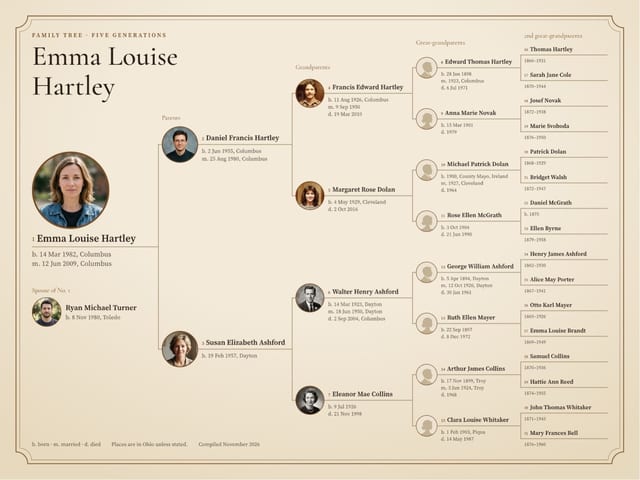
Standard
NewStarts with an individual. Includes their direct line of ancestors.
Up to 9 generations
See the layout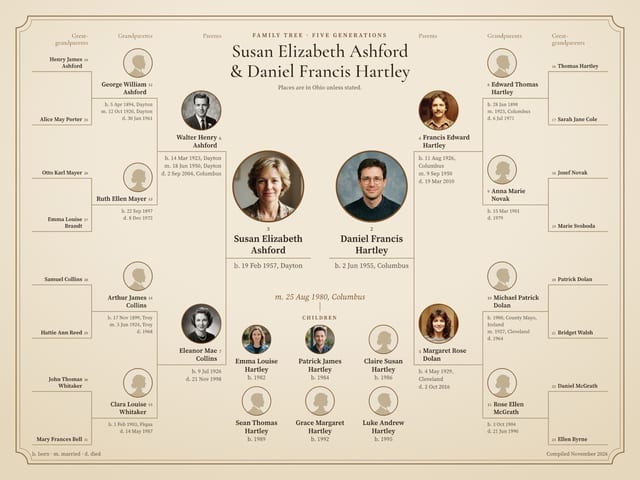
Combination
NewStarts with a couple. Includes their children and the direct line of ancestors for each person in the starting couple.
Up to 7 generations
See the layout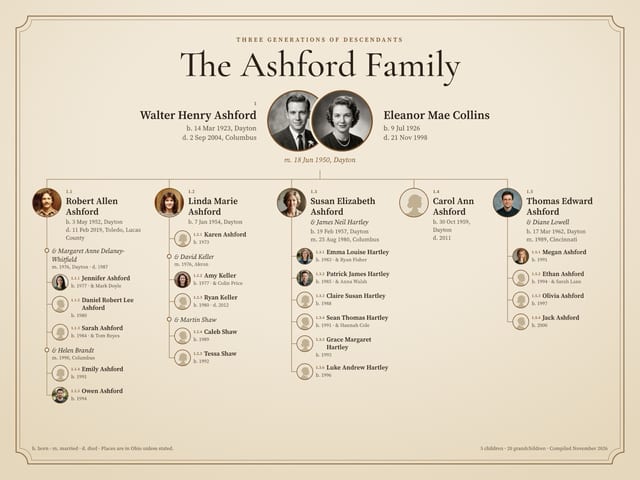
Descendant
NewStarts with an individual or a couple. Includes their children and descendants up to their great-grandchildren.
Up to 4 generations
See the layout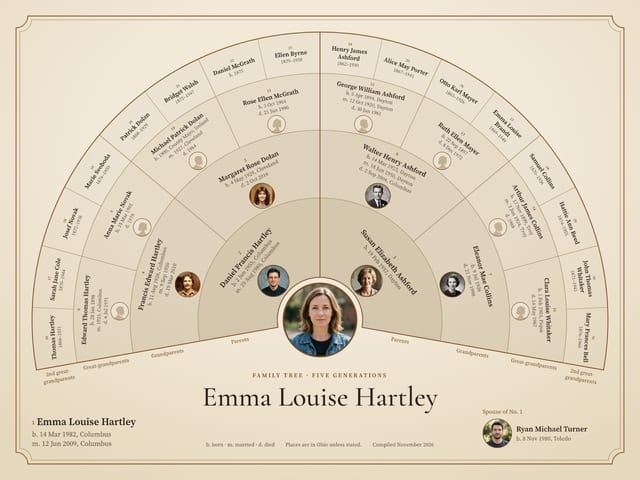
Fan
NewStarts with an individual. Includes their direct line of ancestors, in rings around them.
Up to 8 generations
See the layout
NewStandard
One person, everyone who came before
Start with one person and follow the family back, one generation per column.


Generations and sizes, drawn to scaleGenerations
Up to 6 generations print landscape. 7 and up print portrait.
24x18 in · Adds 2nd great-grandparents
- One person at the startA large portrait, name, dates and marriage.
- A spouse, if you want oneOptional, printed under the person.
- The direct line of ancestorsParents, grandparents and beyond. On larger trees the outer columns have no portraits.
NewCombination
Both family lines meet at the couple
Start with a couple. Their ancestors branch out to each side, their children sit below.


Generations and sizes, drawn to scaleGenerations
24x18 in · Adds great-grandparents, names only
- The couple at the centerLarge portraits, names, dates and their marriage.
- Both ancestor linesEach partner’s parents, grandparents and beyond, on their own side.
- Their childrenOldest first, with a portrait and a birth year.
NewDescendant
One couple, everyone who came after
Start with an individual or a couple and follow the family down.


Generations
24x18 in · To grandchildren
- The start of the familyA family name title, then portraits, dates and the marriage.
- One column per childIn birth order, numbered 1.1, 1.2, 1.3.
- Grandchildren and partnersA list under each parent, with a portrait and a birth year. Each partner is marked in line.
NewFan
The whole direct line, fanned out
Start with one person and follow the family back, one generation per ring.


Generations and sizes, drawn to scaleGenerations
24x18 in · Person to 2nd great-grandparents
- One person at the centerA large portrait, name, dates and marriage.
- A spouse, if you want oneOptional, printed under the fan.
- One ring per generationFather’s side on the left, mother’s on the right. The outer rings have no portraits.
NewFive themes
One family tree, five ways to show it
Every new poster comes in all five. The background, fonts and colors change, your tree stays where it is.


Your poster starts in Heirloom. Change it in the Theme panel of the editor. A change rebuilds the poster, so manual edits are lost.
What’s new
More of your family, easier to read
Round portraits
Round portraits replace the rectangular photos of the current design.
More room for photos
Standard and Fan posters hold up to 32 portraits. Descendant posters have a spot for every person. Combination posters add the children.
Larger names and dates
Names and dates print larger than on the current design.
Five themes
Each with its own background, fonts and colors.
How to get the new design
- Pick your tree type and generationsOn the poster page, choose Standard, Combination, Descendant or Fan.
- Keep New designIn the Poster design step, it is already selected. Same size and price as the current design. Standard with 3 or 4 generations and Fan with 7 or 8 come in the new design only and skip this step.
- Add your tree, then pick a themeSign in with Ancestry or FamilySearch, or import a GEDCOM file. Then change the theme in the editor.
See your family on the new poster
Choose where your family tree is. You can preview your poster before you order.
Ancestry
Sign in, pick your tree and who the poster starts with. Names, dates and photos come from your tree.
Continue with AncestryFamilySearch
Sign in and pick who the poster starts with. Names, dates and photos come from your family tree.
Continue with FamilySearchGEDCOM file
Import your .ged file or use a saved tree. Names and dates come from the file. Photos are not imported, add them in the editor.
Continue with GEDCOM
You make the poster on a computer.